Guide · Independent Android app
How to follow your private MotoGP Fantasy league with Polewise Moto
Polewise Moto is an independent app that reads your private league from the official MotoGP Fantasy game and shows it in more detail: standings, progress GP by GP, a duel with any rival and every other manager’s line-up. This is how to set it up and use it.
Install the app
Get it for free on Google Play. It runs on Android 8.0 or later phones and tablets.
Connect your account
In Settings, under “MotoGP Fantasy account”, sign in with the same account you use in the official game. The app never changes your team: it only reads the data.
Choose your league
With “Choose league” you pick which of your leagues the app shows. You can change it at any time.
Refresh the data
In “Data and sync”, tap “Sync now”. If some teams take longer, the standings appear first and the rest fills in afterwards.
Check the standings
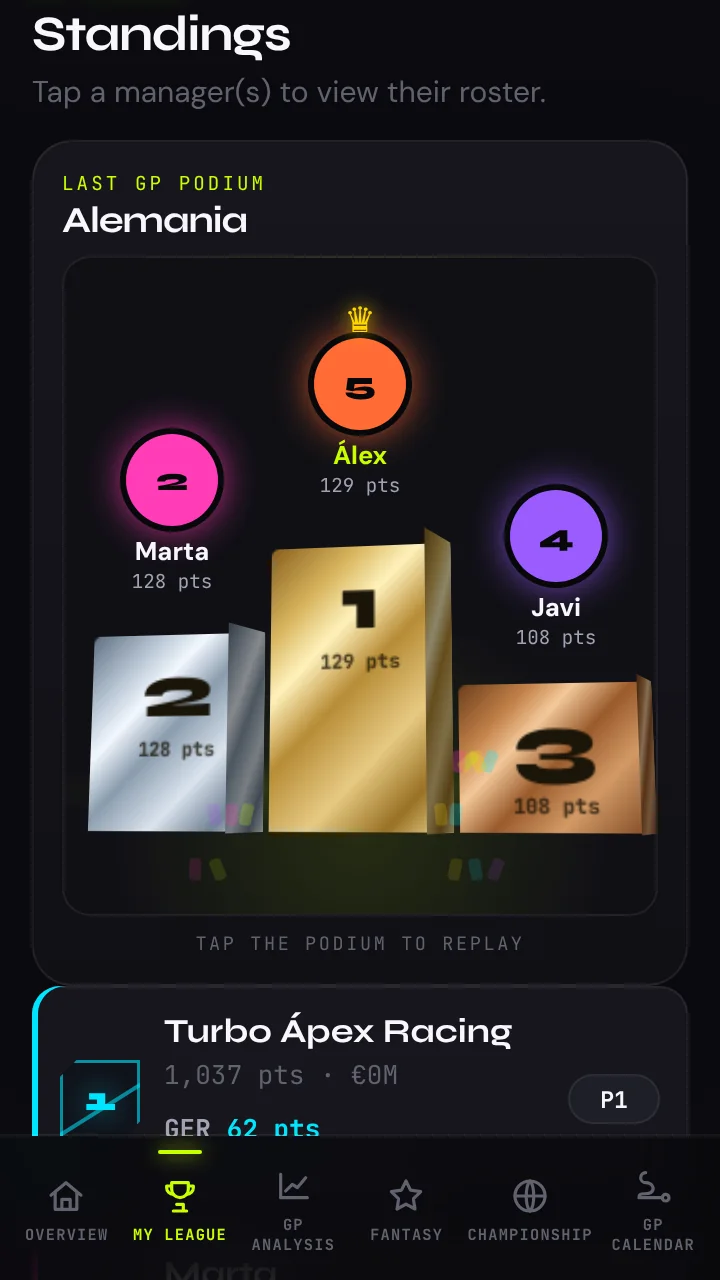
My league shows the table, the podium of the last GP and each manager’s trend GP by GP, by position or by points.
Compare with a rival
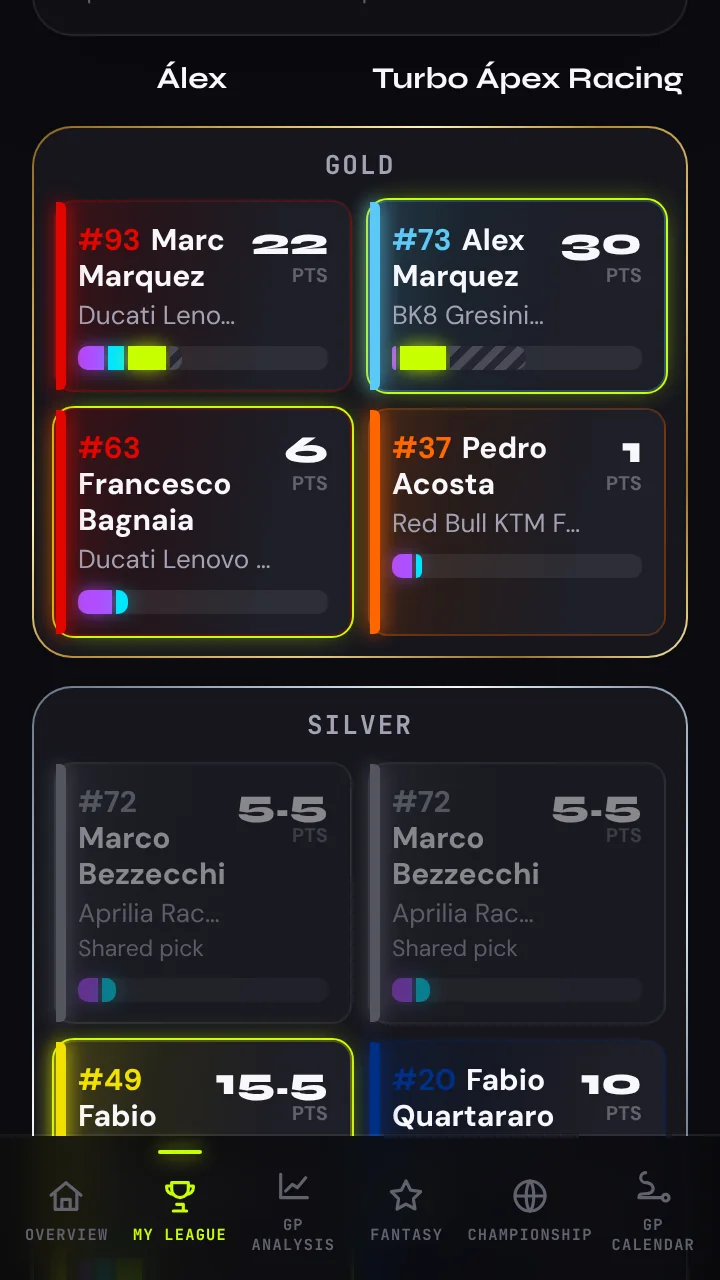
In “Team duel” you pick a rival and see the season side by side, the points of every GP and both line-ups pick by pick, with shared riders dimmed and the winner of each row.
Check the line-ups
A rival’s line-up for the new GP is published when the Q1 changes close; before that you will see “Rival line-up pending”. For past GPs the app only shows verified line-ups: if there is none, it says so instead of making one up.
Update your team
In Fantasy › My team, “Refresh my team” brings in your current line-up. Every slot shows team, price and predicted points; tap it to try another rider before making the change on the official site.
Common questions
- Is it the official MotoGP Fantasy app?
- No. It is an independent app that connects to your account to read your league data.
- Why can’t I see my rival’s line-up?
- Line-ups for the current GP are published when the Q1 changes close. For earlier GPs only verifiable line-ups are shown.
- How much does it cost?
- It is free on Google Play.